
Scan with your phone


Employees
As an employee of a company, you have two ways to create your personal account:
1. If your company sends you an email invitation link, you can click on it and follow the instructions to create your personal account and join your company workspace.
2. Alternatively, you can directly visit the homepage of amy.pro, click on the “Sign up” button, and provide your personal details, including your work email, to create your account.
Through an invitation link sent via email:
STEP 1: Click on the invitation link received on your email to be redirected to the registration page.
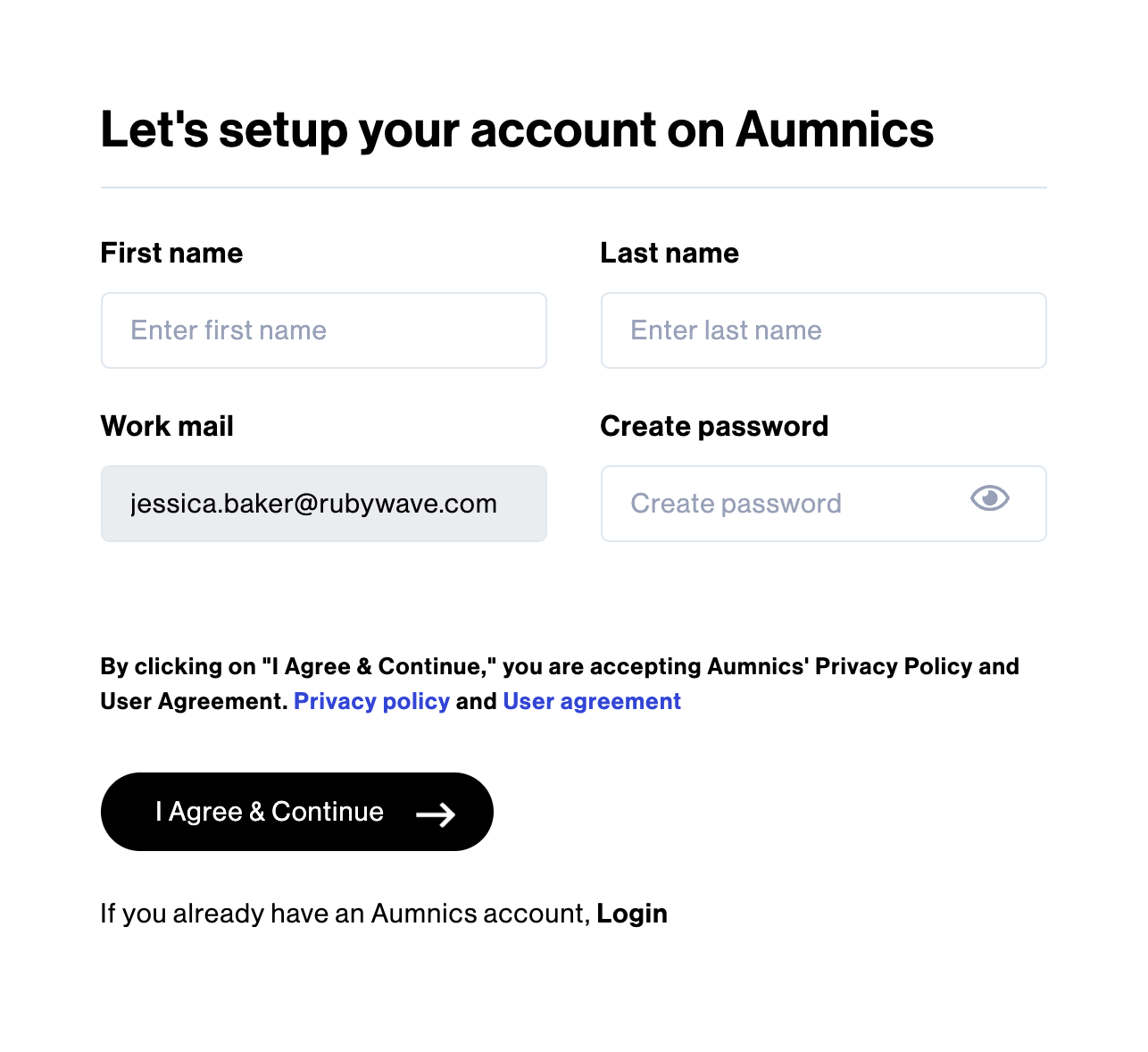
STEP 2: Provide your First Name, Last Name, Work Email and Create Password and click on “I Agree & Continue”.
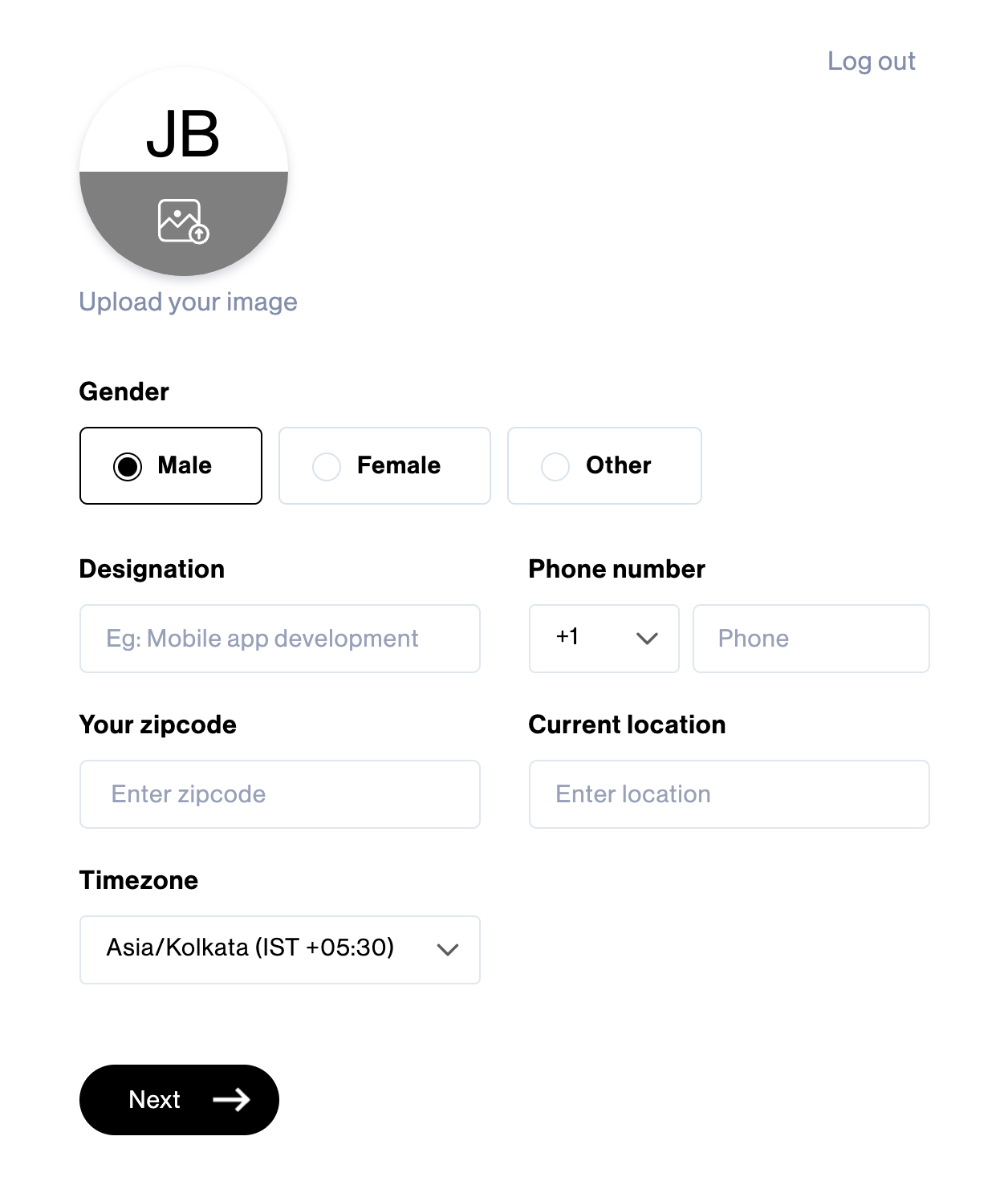
STEP 3: Select the Gender, enter your Designation, Phone Number, Zip Code, Current Location, select the Timezone and click on “Next” to join your company workspace.
Via the website:
STEP 1: Click on the “Sign up” button on the website to access the registration form.
STEP 2: To get started, simply provide your First Name, Last Name, Work Email and Create Password and click on “I Agree & Continue”.
STEP 3: Enter the 6-digit confirmation code sent to your email and click on “Verify & Continue”.
STEP 4: Select the Gender, enter your Designation, Phone Number, Zip Code, Current Location, select the Timezone and click on “Next” to join your company workspace.

Subscribe now
Subscribe to " Pvt Ltd" newsletter for updates on the software services industry. Stay informed and gain valuable insights from an industry-leading company. Expand your knowledge, stay ahead of the competition.

Your subscription for "" is successful. You will be notified whenever a new is posted.

You liked the Article

You disliked the Article
