
Scan with your phone


Software Service Agencies
All Software Service Agencies create their company account on amy.pro to get started. To create your company account, follow the steps outlined below.
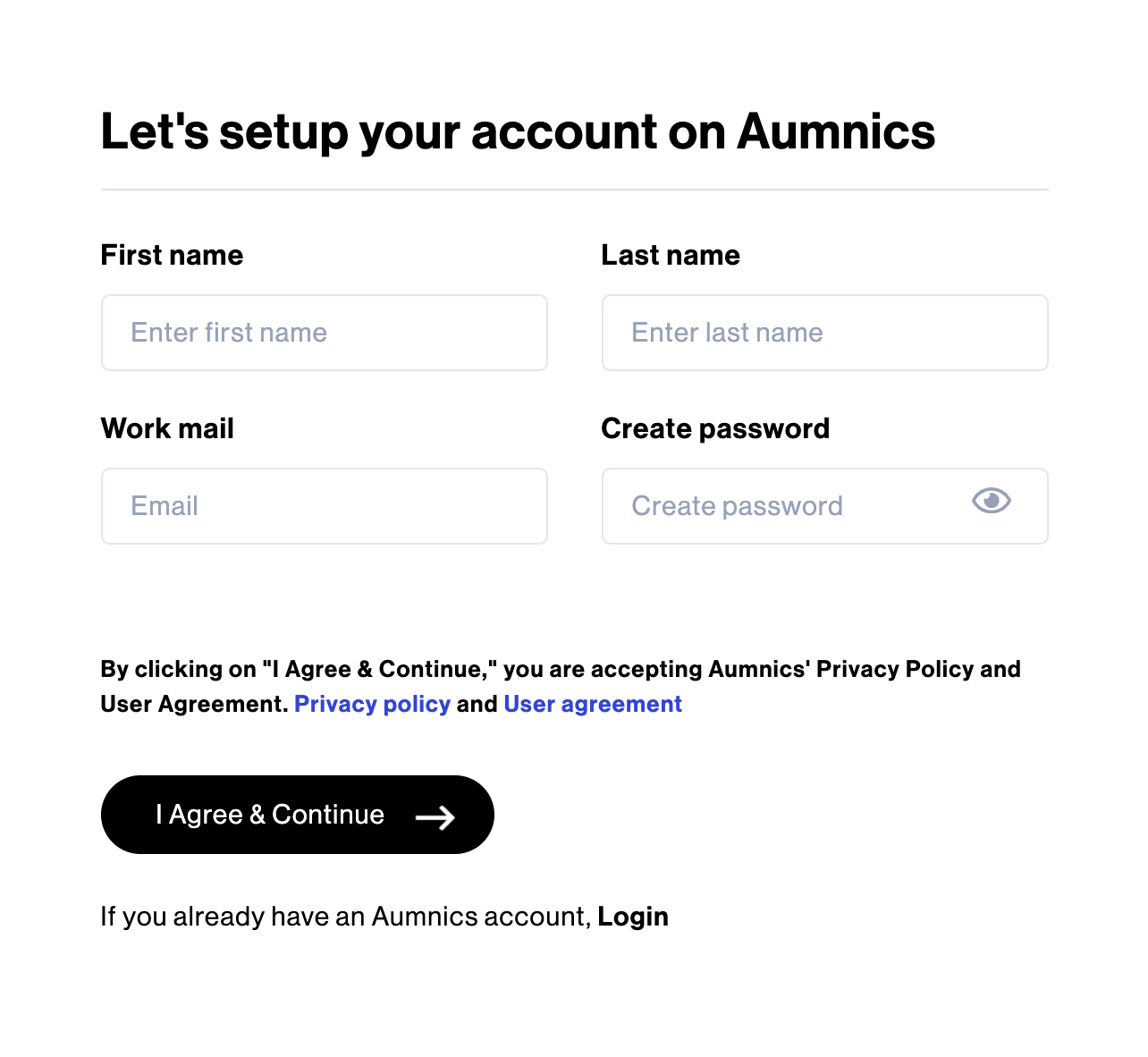
STEP 1: Click on the “Signup" button located on the homepage of amy.pro. Enter your First Name, Last Name, Work Email and Create Password, then click on “I Agree & Continue”.
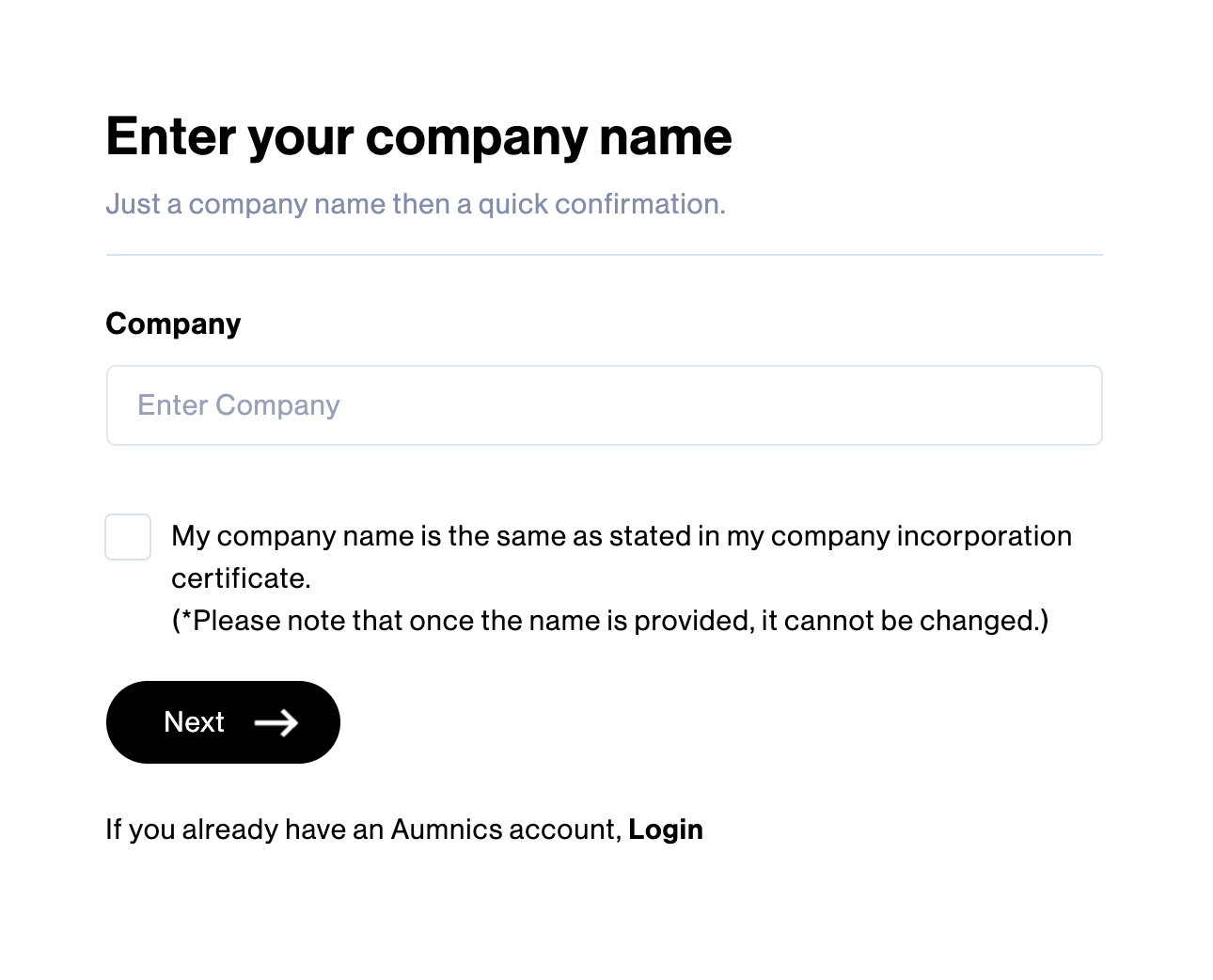
STEP 2: Enter the company name exactly as it appears on your company incorporation certificate. After reviewing the user agreement and privacy policy, and provided that you accept the terms and conditions outlined in those sections, please input your Company Name and proceed by clicking on “I Agree & Continue”.
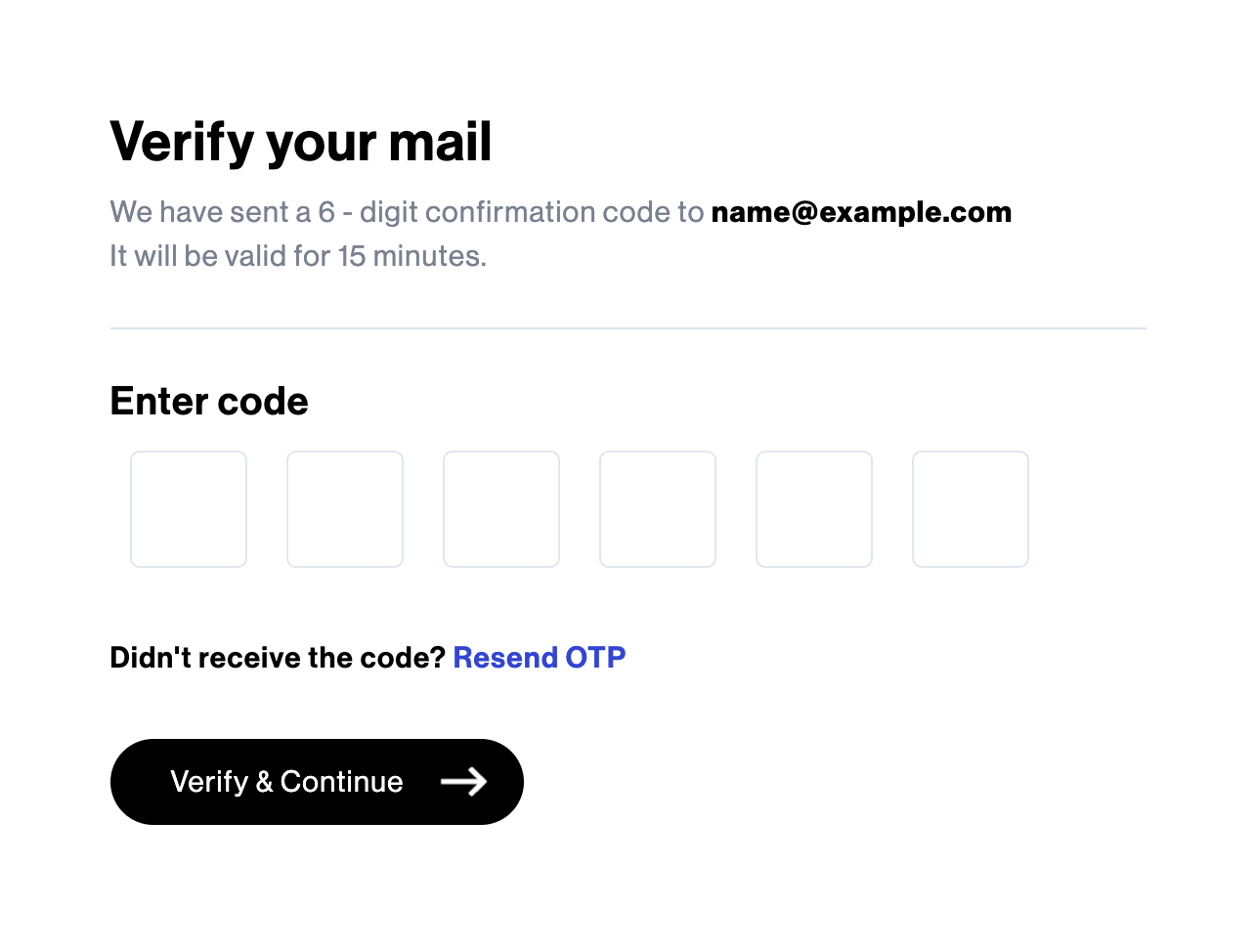
STEP 3: Enter the 6-digit confirmation code sent to your email and click on “Verify & Continue”.
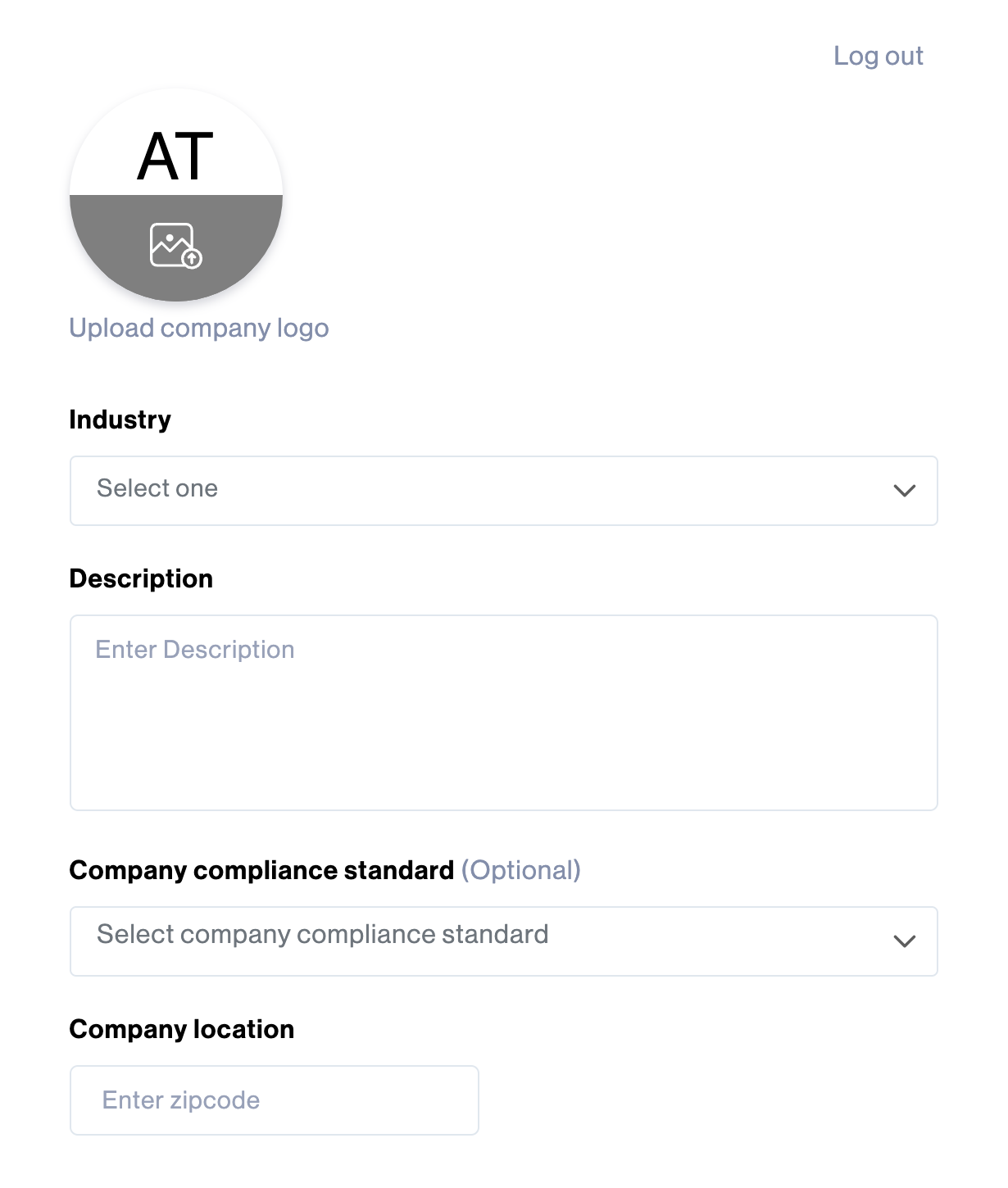
STEP 4: This step concludes the registration process. Fill out your company profile by uploading your company logo, selecting the Industry, entering the Company Description, specifying your target customers in the Markets section, and providing the Company location.
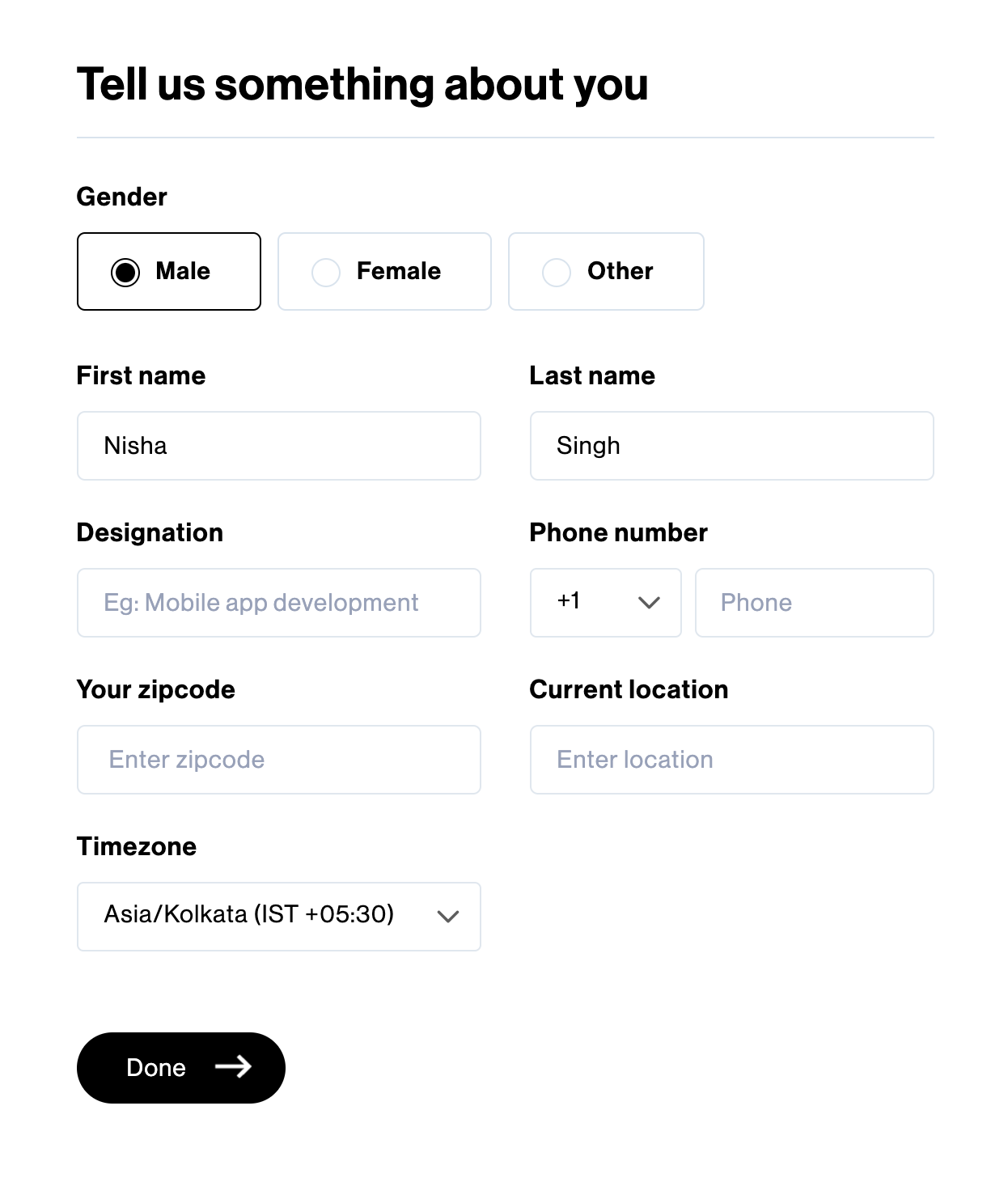
Provide your personal details by selecting the Gender, entering your First Name, Last Name, Designation, Phone Number, Zip Code, Current Location, selecting the Timezone and click on “Done” to complete the registration of your company.

Subscribe now
Subscribe to " Pvt Ltd" newsletter for updates on the software services industry. Stay informed and gain valuable insights from an industry-leading company. Expand your knowledge, stay ahead of the competition.

Your subscription for "" is successful. You will be notified whenever a new is posted.

You liked the Article

You disliked the Article
